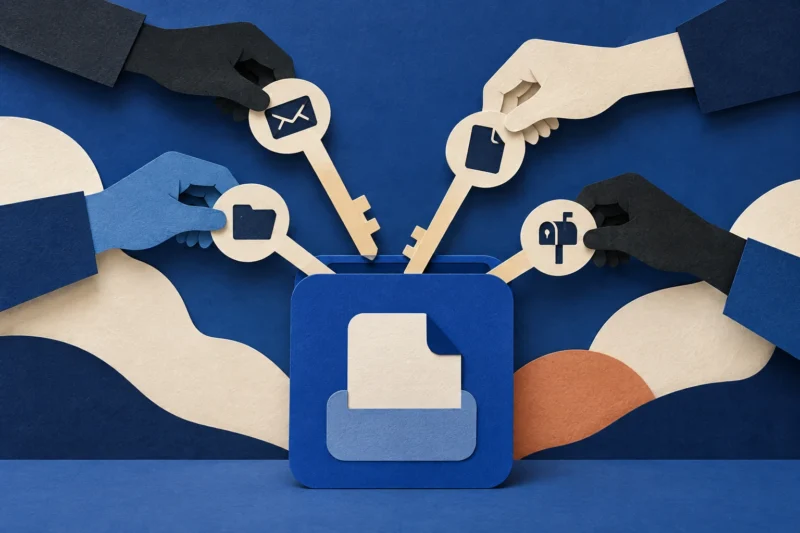
The login page is real. The device you are authorizing might not be yours
Device-code phishing exposes a limit of the advice to check the domain: a genuine sign-in can still authorize a session initiated by someone else.

Checking the sign-in address is good advice. It helps distinguish a real provider from a lookalike. But it does not answer every question a login can ask. In a device-code flow, you may authenticate on a genuine provider page while authorizing access for a different device or session.
The critical question becomes who started the flow, for which application, on which device, and for what purpose? A real domain answers only part of that. It does not make a code supplied by an unexpected message yours to approve.
Understanding this distinction does not require implementing an authentication protocol. It requires treating sign-in as an action with a destination, not just a test of whether you know your password.
A legitimate convenience, used out of context
Device authorization exists for useful reasons. A television, command-line tool or another limited-input device may ask you to complete authentication elsewhere. You enter a displayed code on a provider’s page, sign in and approve the connection. In a legitimate use, you initiated the process and recognize the device and application.
In an abusive use, the code reaches you through a story: a meeting invitation, document request, support interaction or another reason to sign in. The genuine provider can still authenticate you correctly. The problem is that the session being authorized was not the one you thought you were helping.
The provider checks who is signing in.
You must understand what you are authorizing.
The resulting access may belong to another session.
This is why describing the issue simply as “a fake Microsoft login” can be misleading. The page may not be fake. The context connecting you to the request is what has been manipulated.
The reported campaign and the general lesson
Microsoft’s February 2025 report on Storm-2372 describes device-code phishing in which social engineering led users to authenticate a session under a misleading pretext. That is a dated campaign report, not a claim that every unexpected code today comes from that actor.
Microsoft also documents Conditional Access controls for authentication flows. The existence of a specific control reflects an important operational point: organizations can evaluate whether this flow is needed and restrict it where appropriate, rather than placing the entire burden on the person seeing the prompt.
The general lesson is narrower than “authentication is broken.” The provider may be doing what the user authorized. The authorization was attached to a false story.
Follow the ownership of the code
A code is not safe or unsafe because it is short, looks random or appears on a familiar page. Ask where it came from. Did your own device or application display it after an action you deliberately initiated? Or did someone send it to you and tell you that entering it is necessary?
That origin matters more than the messenger’s explanation. An unexpected sender can describe a code as an attendance check, document unlock or account repair. Those labels do not establish that the associated session belongs to you.
If you did start a legitimate device connection, compare the application and account shown by the provider with what you intended. Do not approve a mismatch because the instructions say the difference is normal. Stop and consult the provider’s official help or your organization’s support.
| What you recognize | What you still need to establish |
|---|---|
| The provider’s genuine domain | Who initiated this authorization |
| Your own account | Which application or session receives access |
| A familiar colleague’s name | Whether that person actually sent this request |
| A plausible meeting invitation | Why joining requires this separate authorization |
| Successful multifactor authentication | Whether the approved action matches your intent |
Why a real page can be more persuasive than a fake one
Many people have learned to look for misspelled domains and suspicious login forms. A genuine provider page can make those checks pass, creating a sense that the difficult part is over. The remaining steps may be completed mechanically.
That is an understandable but incomplete model. A secure connection to a legitimate service does not guarantee that every transaction performed there serves your interests. The same distinction appears when a genuine payment app is used to send money to the wrong recipient.
For authentication, the missing concept is the beneficiary of the authorization. Who receives the ability to act after this step? If that question is not clear, the provider’s authenticity is necessary but insufficient evidence.
Our consent-screen explainer examines a related issue: legitimate identity interfaces can be used to request access that the user did not meaningfully intend to grant. The mechanisms differ, so the response should not treat them as interchangeable.
A meeting invitation should not define identity policy
Suppose an illustrative invitation says that attendance must be confirmed through a code before the meeting opens. The sender appears to be a professional contact, and the login page is genuine. A participant may interpret the process as an inconvenient but normal meeting requirement.
The useful pause is at the mismatch: why is a meeting invitation asking you to authorize an application or device? Open the meeting service through its usual route, verify the invitation with the organizer using established contact details, or ask internal support.
Do not ask only whether the message’s link reaches a real provider. Ask whether the proposed authorization belongs to the task. This example is a defensive exercise, not a reconstruction of a specific campaign.
A legitimate organizer should be able to explain the official joining process without demanding that you approve an unexplained access request.
If you entered the code but did not approve
Stop the flow and do not repeat it to see what happens. Note the provider, application name if shown, account used and time. On a work account, report the unexpected request through the normal security channel.
The exact point reached matters. Entering a code, signing in and approving a grant may have different consequences depending on the service and existing session state. Do not assume that closing the page proves no authorization occurred, but do not claim a completed takeover without evidence.
Use the account’s official security tools or support to determine what happened. Avoid relying on the sender’s statement that the process failed or needs another attempt.
The person handling the report needs your actions and timestamps more than a theory about the attacker.
If you completed the authorization
Contact your organization’s identity or security team promptly for a work account. For a personal account, use the provider’s official recovery and security guidance. Explain that you may have authorized a device-code session initiated by someone else.
Relevant response work can include reviewing sign-ins, revoking sessions or tokens, checking applications and assessing account activity. The appropriate controls depend on the provider and what access was issued. A password change may be necessary but should not be treated as the universal end of the response.
Do not send screenshots containing active codes, tokens or sensitive account details to public forums. Preserve the original message and any visible application information privately for the support team.
If the sender returns with instructions to “cancel” the authorization, do not follow another unsolicited flow. Use the provider or your security team to remove access.
What administrators should decide before an incident
Determine which users and applications genuinely need device authorization. A blanket policy can disrupt legitimate work if it is deployed without understanding dependencies. Conversely, leaving a flow unrestricted solely because it is supported by the platform is not a business justification.
Review the provider’s documented controls, test in a limited environment and communicate the expected user experience. People should know where to ask when a blocked flow interrupts legitimate work. A control without an exception process can encourage unsafe workarounds.
Monitor the relevant authentication events and connect identity reports with the message that prompted them. A user saying “I entered a code for a meeting” is useful evidence, even if they cannot name the protocol.
The organizational question is not whether employees can memorize every code type. It is whether unnecessary flows are restricted and unexpected requests can be reviewed quickly.
Teach a stronger version of “check the URL”
Keep the domain check, but add two questions: “Did I start this?” and “What will this authorize?” That gives users a model that still works when the provider page is genuine.
Avoid saying that multifactor authentication is useless because a social-engineering flow can misuse a legitimate authorization. Different controls address different threats. Our guide to phishing-resistant MFA limits separates protection against credential phishing from other decisions around access.
Also avoid blaming the person for recognizing the legitimate page. They followed one useful rule. The system and training need to explain the remaining decision.
The boundary worth remembering
A sign-in proves something about you to a provider. It does not automatically prove something about the person who asked you to sign in. Device-code phishing exploits the gap between those two directions of trust.
Approve only a flow whose origin, application and purpose you can connect to your own intended action. When that connection is missing, stopping is a valid outcome—even on a genuine login page.
Sources: Microsoft’s Storm-2372 device-code phishing report and Microsoft Entra authentication-flow policy documentation. Examples and the ownership model are editorial explanations; implementation and response details are provider-specific.
Found a factual error or a source that has changed?
Send a correction →